Import and AI extraction
Your contracts, read and checked in an afternoon
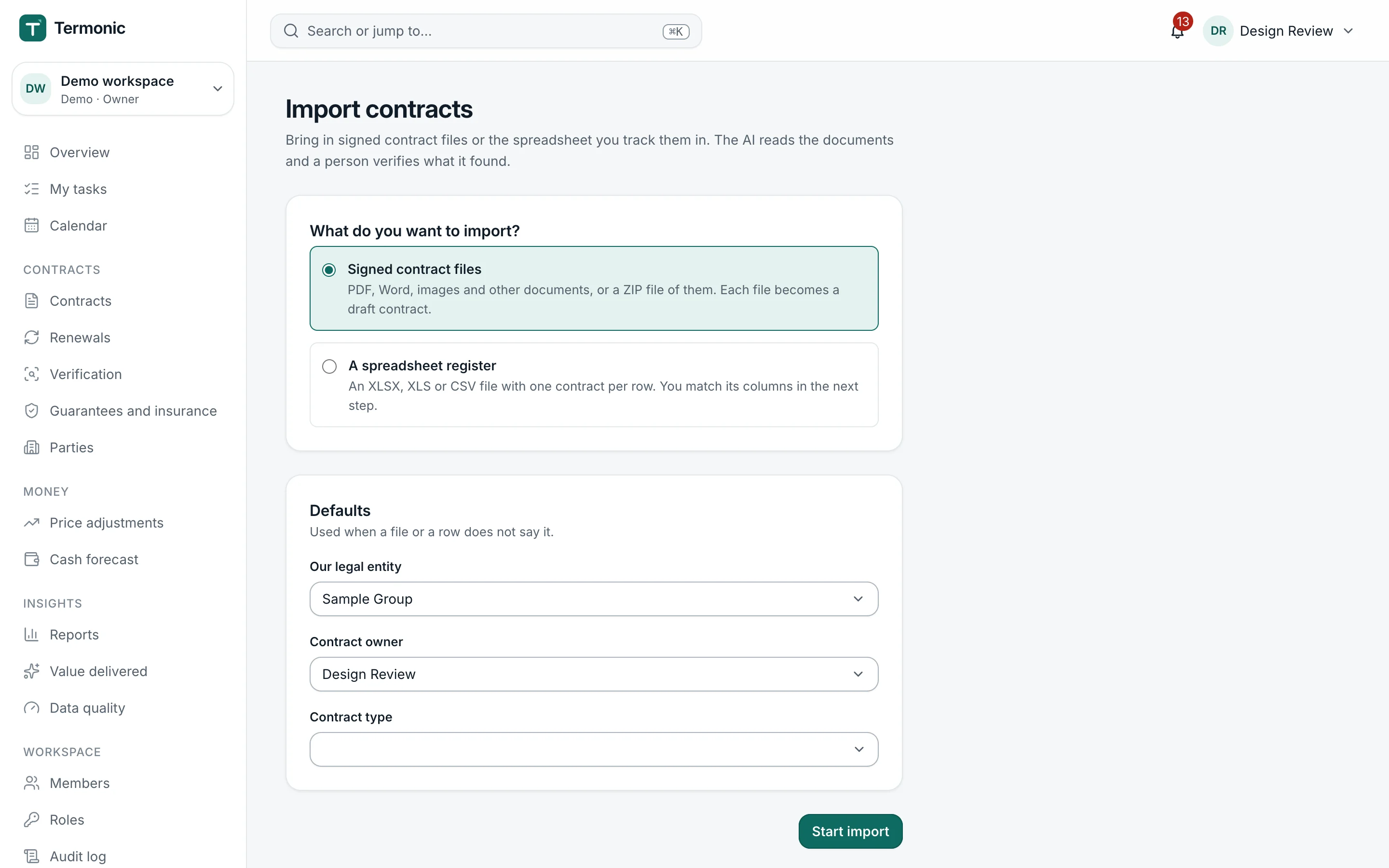
Drop in PDFs, Word files and scans, or bring the spreadsheet you track them in today. The AI reads every document and proposes the dates, terms and obligations; you confirm each one against the sentence it came from.
Why it matters
Without Pactinel
- Someone retypes dates and amounts from PDFs into a spreadsheet, and typing errors go unnoticed.
- Nobody can tell where a value came from, so every question means opening the contract again.
- Scanned contracts and old archives never get entered at all.
With Pactinel
- Bulk upload and spreadsheet import
- A source for every field
- Verification built for speed
- Nothing goes live unchecked
What it does
Bulk upload and spreadsheet import
Upload many files at once, including scans that need text recognition. A spreadsheet goes through a column-mapping step, and rows that repeat an existing contract are skipped.
A source for every field
Each proposed value shows the page and the highlighted text it came from, with a confidence level. Unchecked values stay visibly marked as drafts.
Verification built for speed
Accept, correct or mark a field as not present, with the document beside it. The fields that decide deadlines come first.
Nothing goes live unchecked
A contract becomes active only when its end date, renewal type, notice period and value are verified, so the deadlines built on them are reliable.
Guides and free tools
Learn the clauses behind this work, or work out a figure now without signing up.
- AI contract data extraction with source citationsHow AI extracts dates, parties, prices and clauses from contracts, why every value should point to its source passage, and how human checks keep it reliable.
- Contract management after signature: a practical guideWhat contract management covers after signature: lifecycle stages, ownership, a repository, a deadline calendar, effective terms and the country rules that matter.
- AI contract summaryA contract of up to five pages, summarised by AI and sent to your inbox.
Related features
- Contract repositoryOne searchable register of every signed contract, with owners, states, related documents and the terms that apply today.Learn more
- Renewals and key datesNotice deadlines, renewal windows and expiries worked out from the contract, with the reasoning and a decision for each.Learn more
- Obligations and tasksEvery obligation becomes a task with an owner, a due date and the evidence that proves it was done.Learn more
Questions
Which files can I upload?
PDF, Word documents and images such as scans or phone photos, alone or in a ZIP file. Spreadsheets in XLSX or CSV format go through the import wizard.
Is my data used to train AI models?
No. Your contracts and your corrections are used only to process your own workspace and never to train any model.
What if the AI gets a field wrong?
You correct it during verification. Every value keeps a link to its source, so checking takes seconds, and the contract does not become active until the critical fields are verified.
Can I bring in my existing spreadsheet?
Yes. Upload an XLSX or CSV file, map its columns to Pactinel fields and the rows become contracts. Rows that repeat an existing contract are skipped.
Does my first import use up the month's AI pages?
No. Every plan includes a one-off pool of AI pages for your first bulk import, on top of the monthly pages. On Free it is 250 pages.
Screens from Pactinel's demo workspace, which uses fictional sample data.
Find out what your contracts are waiting for
Upload your first contracts and see the dates and obligations in minutes.